Enertoken: buying industrial energy online
- Justoken
- 2025 Q3 to 2026 Q2
Companies simulate savings, sign energy contracts and manage billing with YPF Luz, all in one place.
Context
Buying energy from YPF Luz used to mean sales reps, PDFs and manual billing. Enertoken moved it all online, with contracts tokenized on the XRP Ledger.
The problem
Energy contracts are dense: CAMMESA pricing, Take or Pay, two currencies. The platform also had to serve two very different users and keep the blockchain invisible.
- Client companies need to know what they're buying and what they owe.
- YPF Luz's team needs every detail.
Outcome
- Launched in February 2026, with USD 800M+ tokenized.
- Contracting is now fully digital, signing included.
Relevant links
1. From exploring parks to a savings estimate
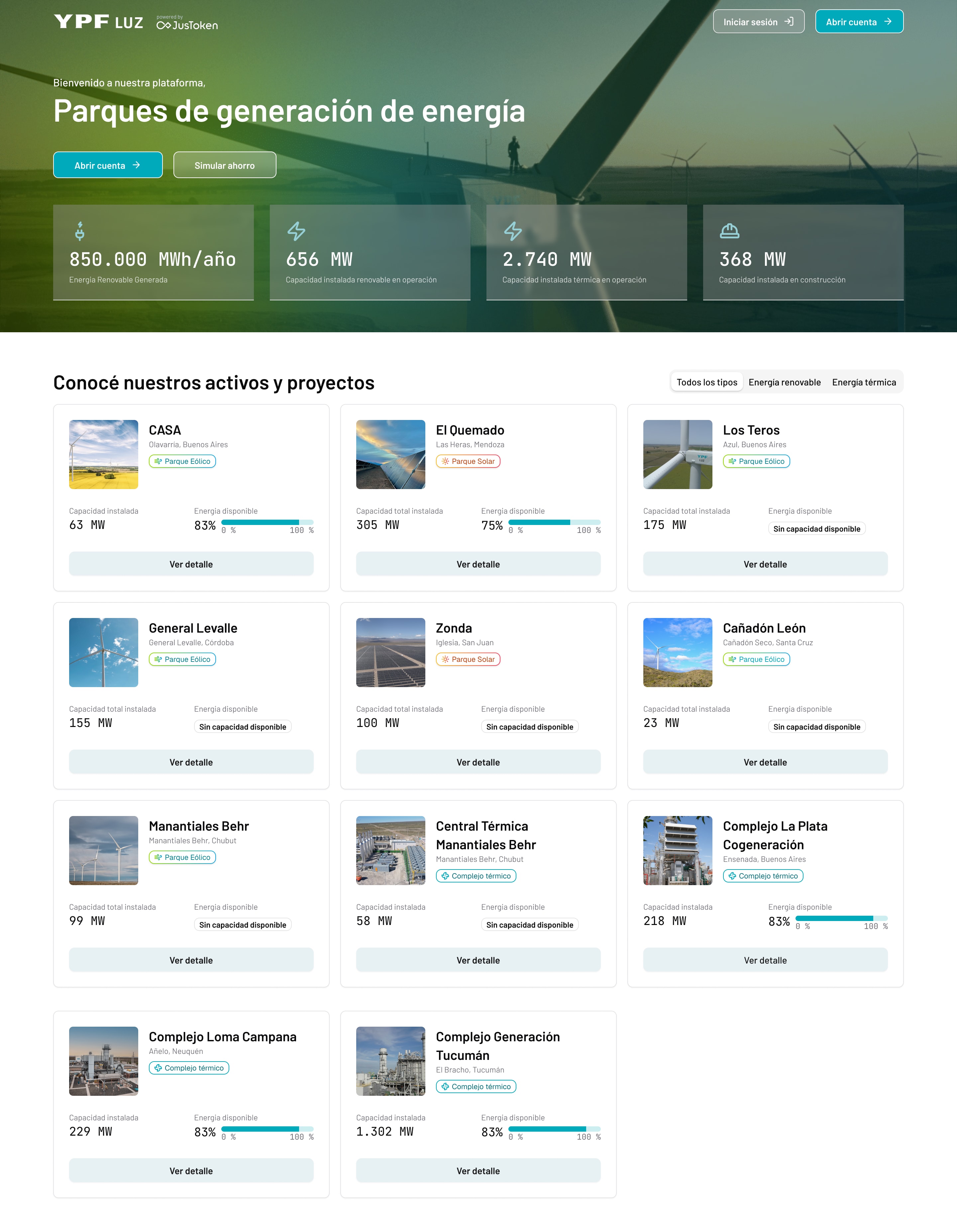
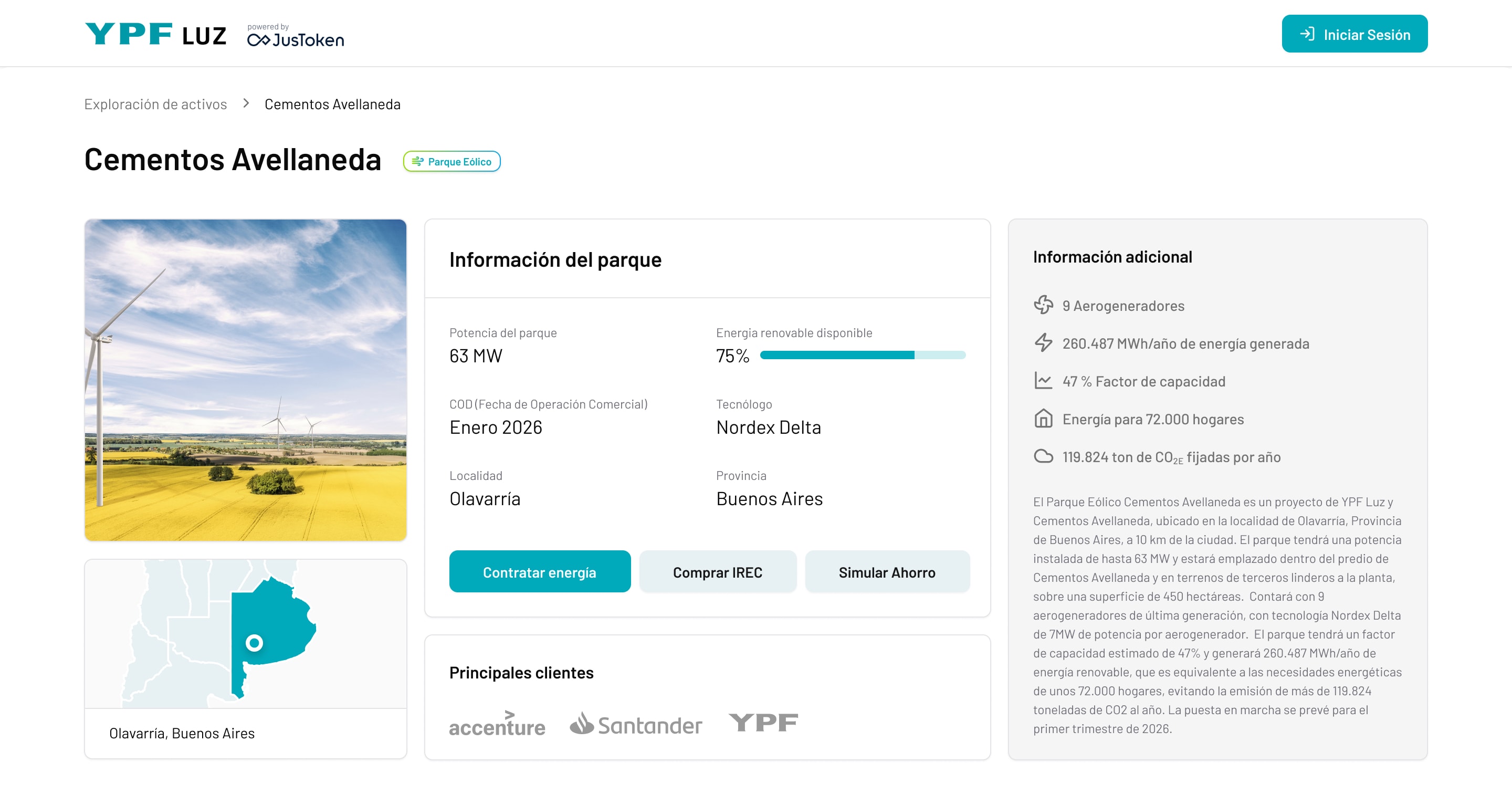
Before signing in, companies can browse YPF Luz's wind, solar and thermal parks, see how much energy each one has available, and open a park to contract energy, buy IRECs or simulate savings.
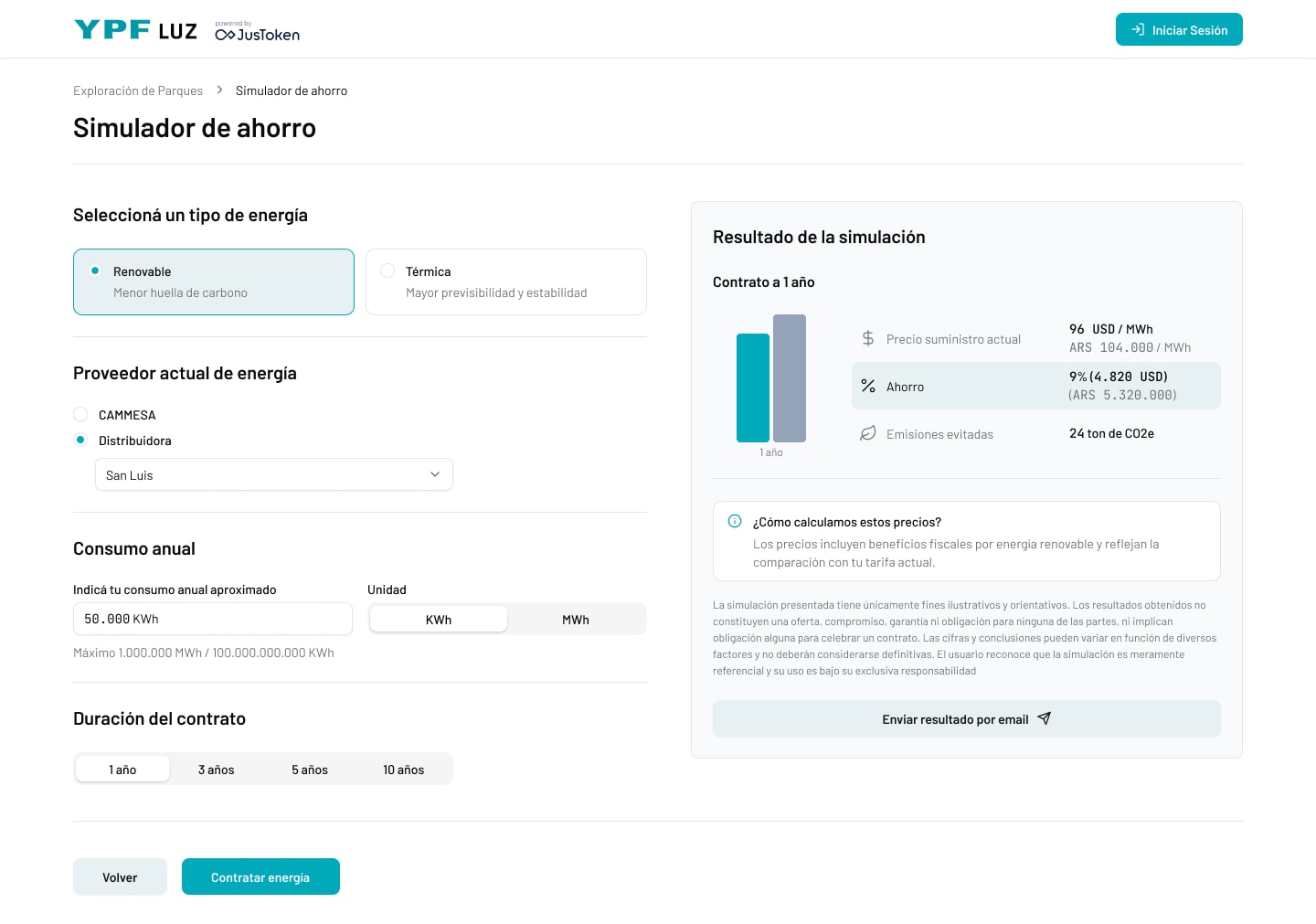
The simulator asks four questions (energy type, current provider, annual consumption and contract length) and returns the price, the savings and the emissions avoided. A short note explains how prices are calculated, so the number feels earned, and the result can be emailed to share internally.
2. Contracting without a sales call
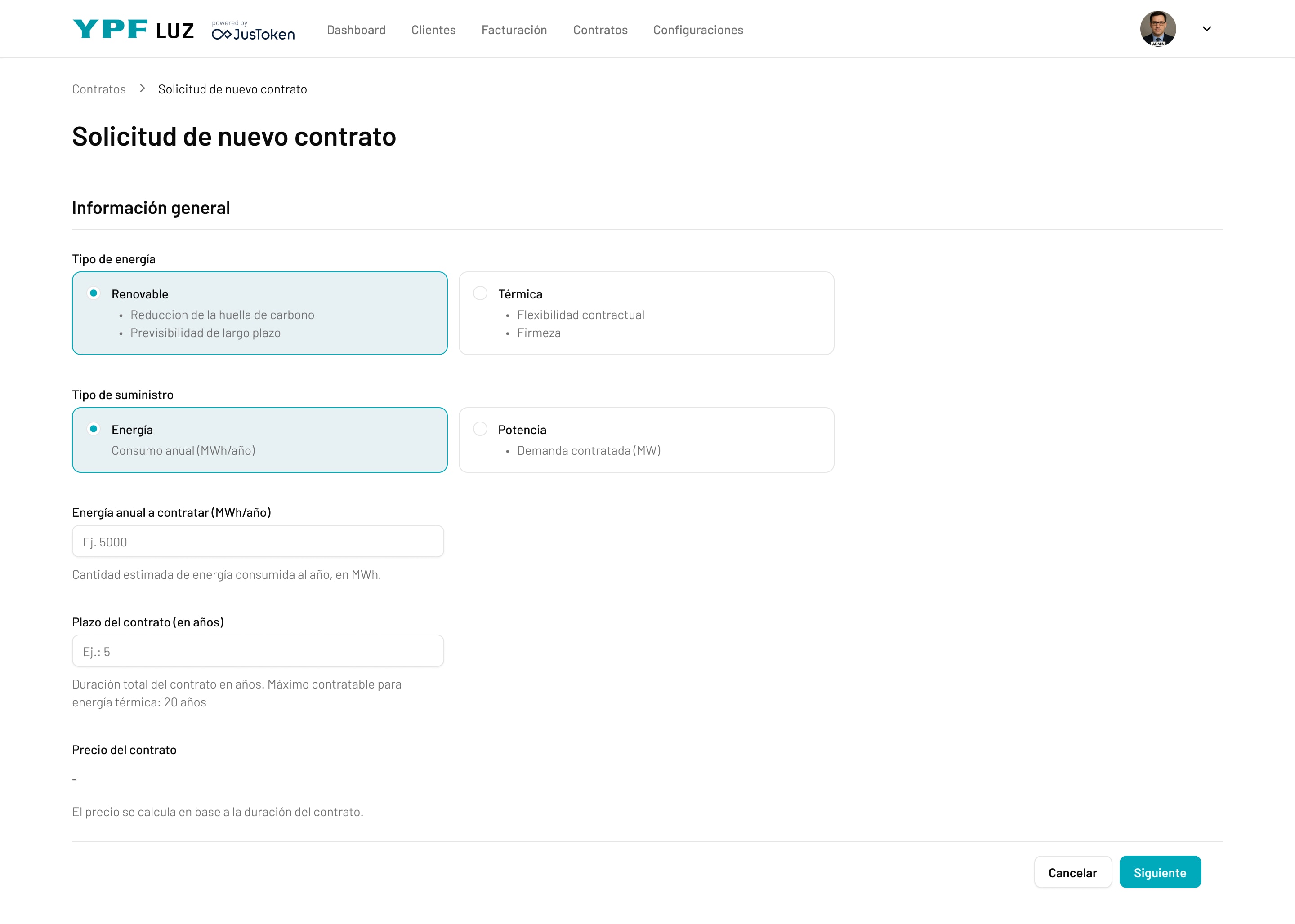
The request starts with what clients already know: energy type, supply type, annual consumption and term, with the price updating as the term changes. Signatories, documents and a start date come next.
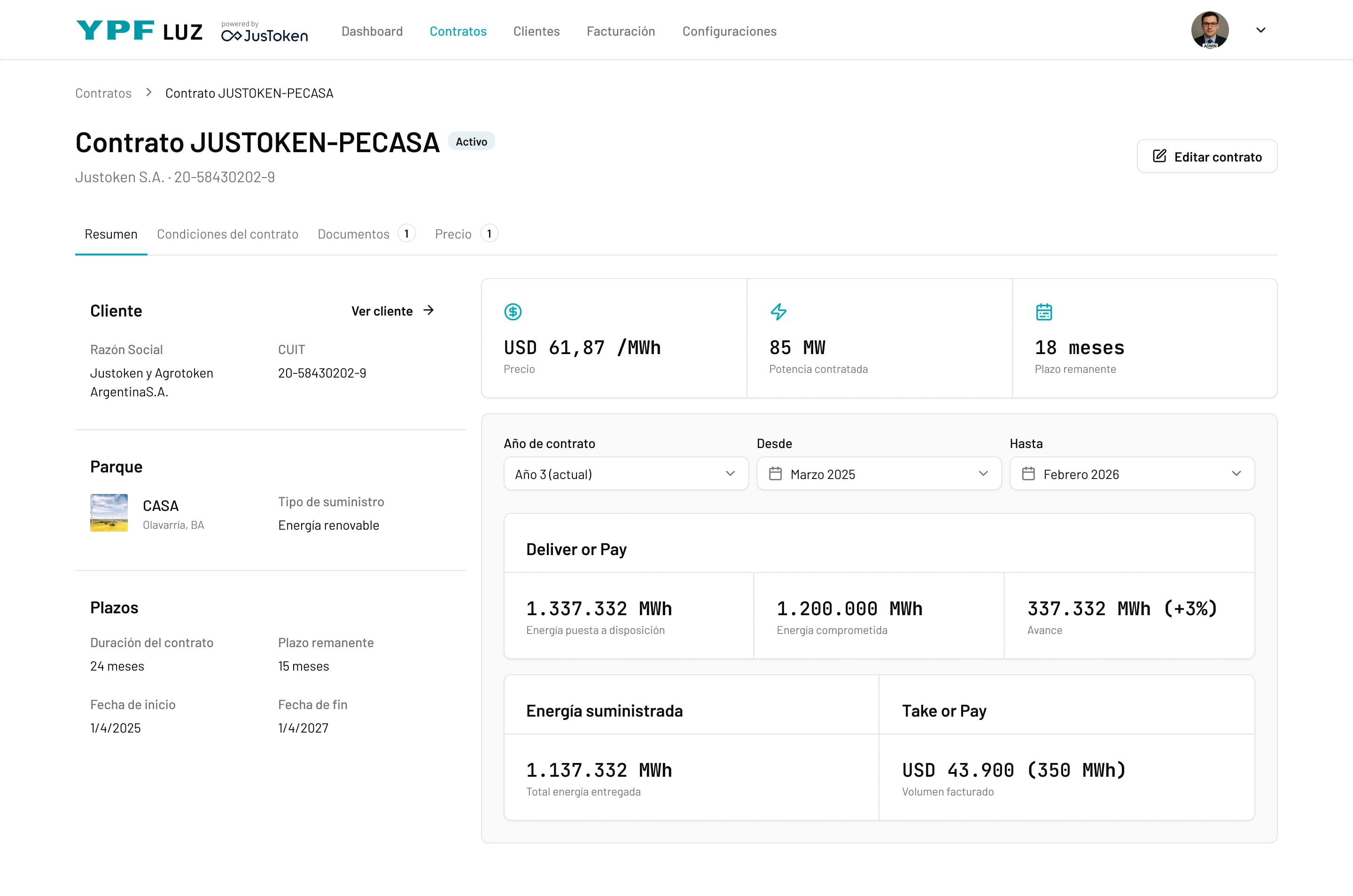
Once active, each contract shows its price, contracted power and remaining term, with Deliver or Pay and Take or Pay tracked per contract year.
3. Billing clients can read
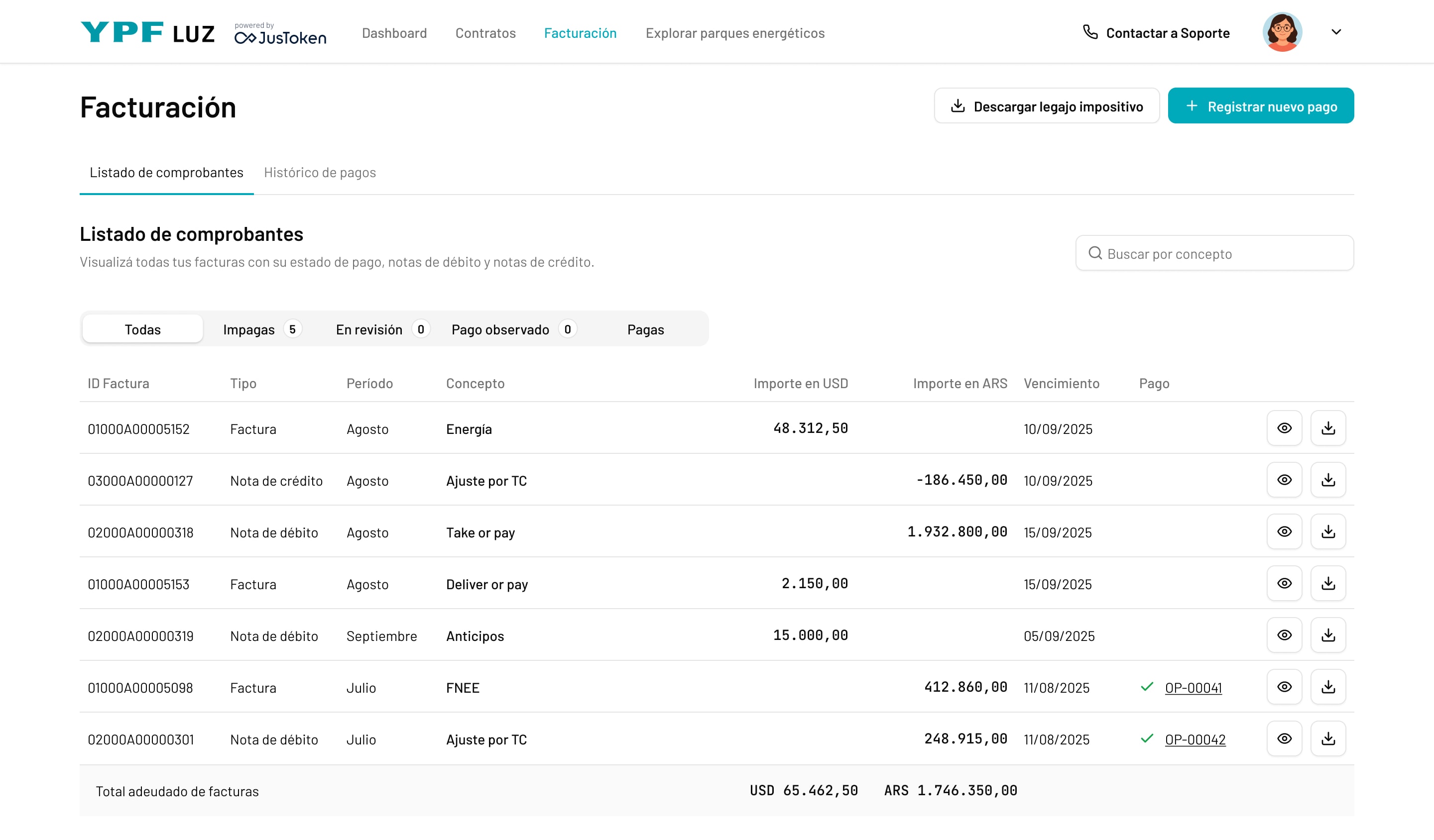
Invoices mix several charges in two currencies, so I organized them around the question clients actually ask: "what do I owe?" Status filters, USD and ARS in separate columns, and the total due at the bottom.
4. A back-office dashboard: tasks next to the numbers
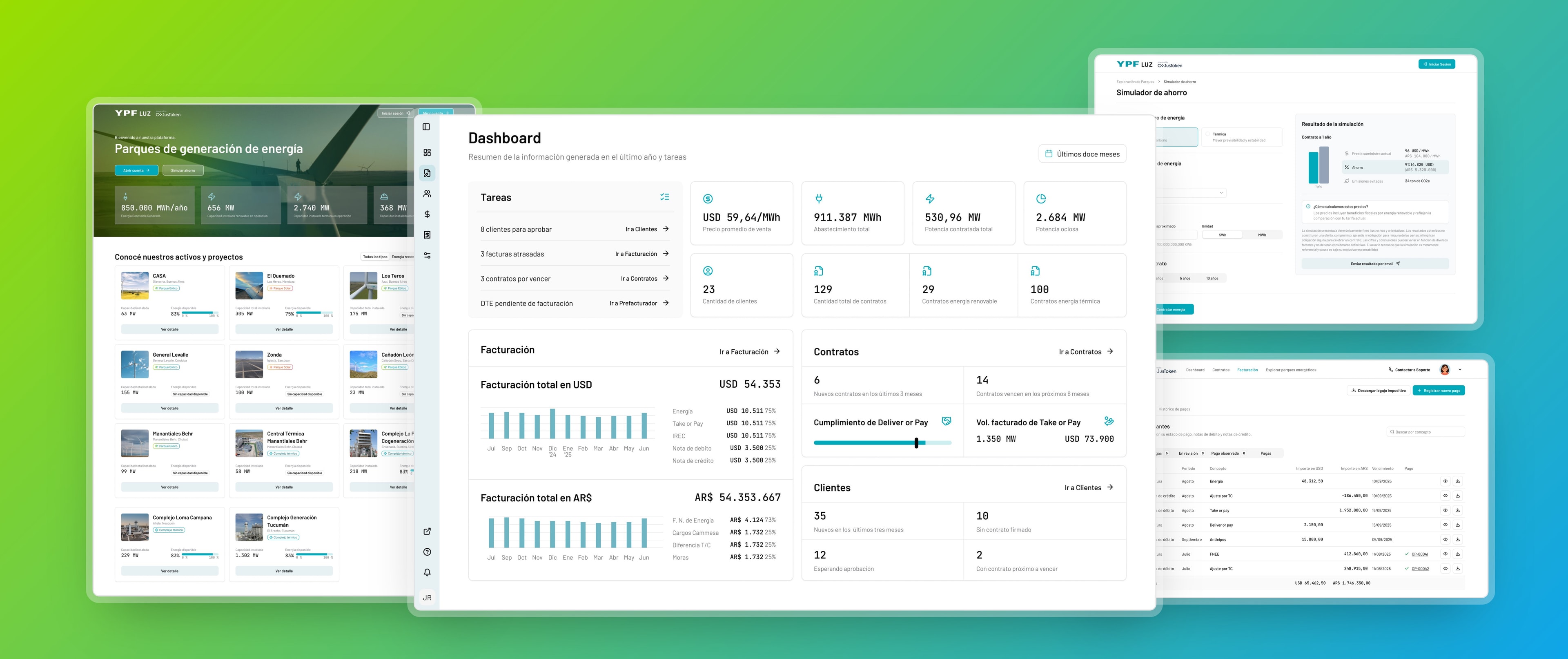
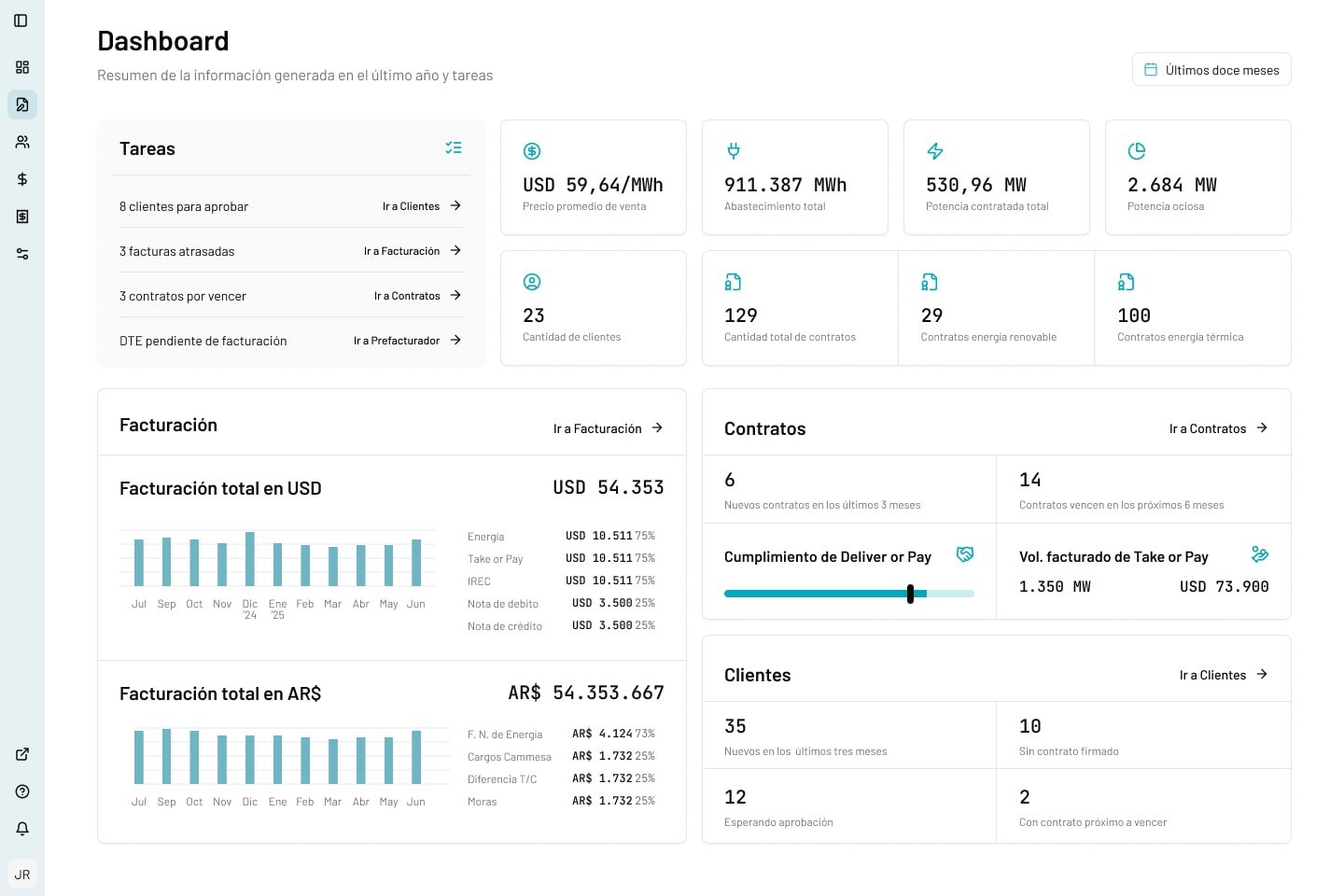
The dashboard puts YPF Luz's pending tasks (clients to approve, overdue invoices, contracts about to expire) right next to the key figures, so the team sees what needs action without losing the big picture. Each task is one click from where it gets solved. Below, billing in both currencies, contract compliance and new clients.
5. Running contracts and invoicing
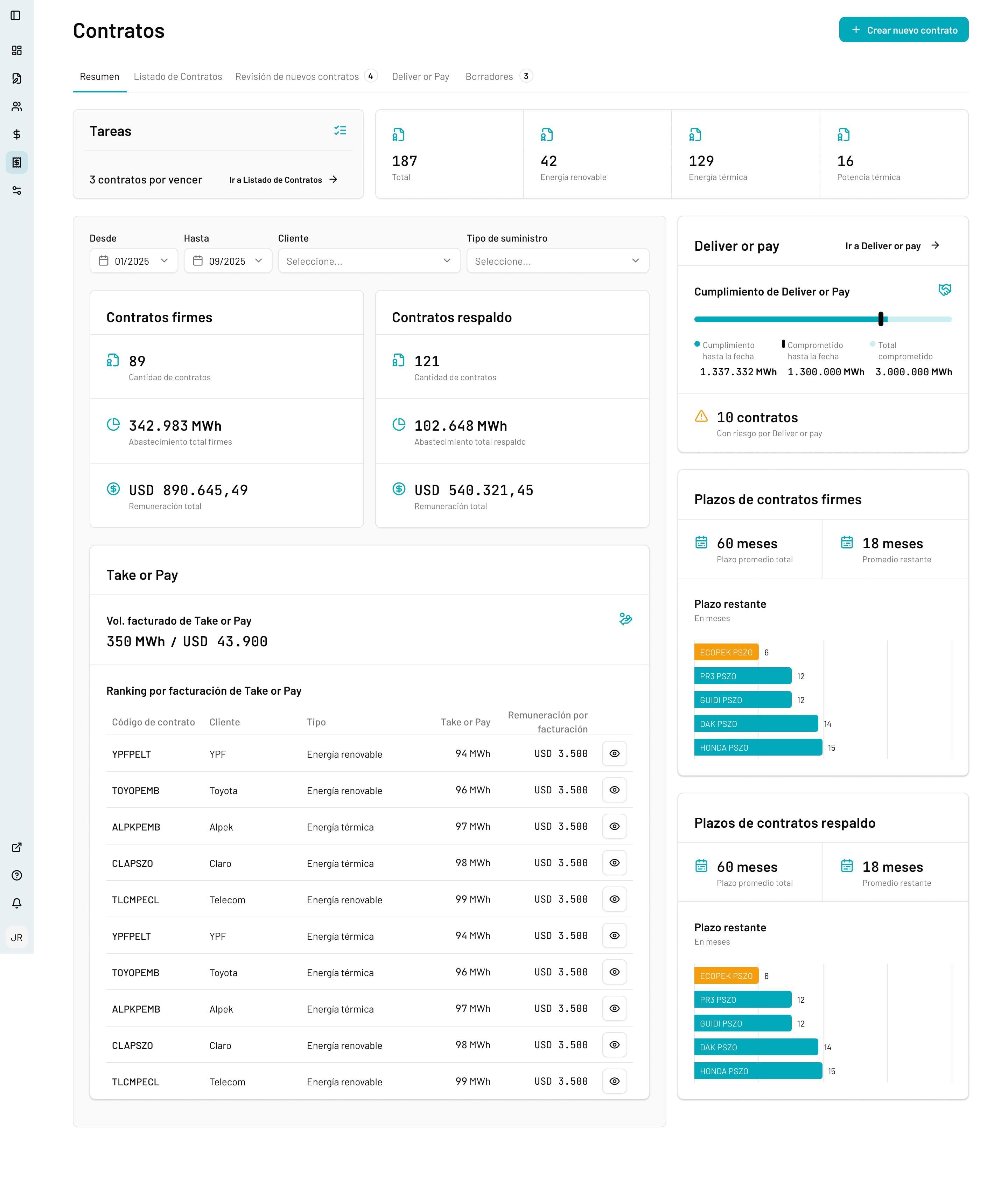
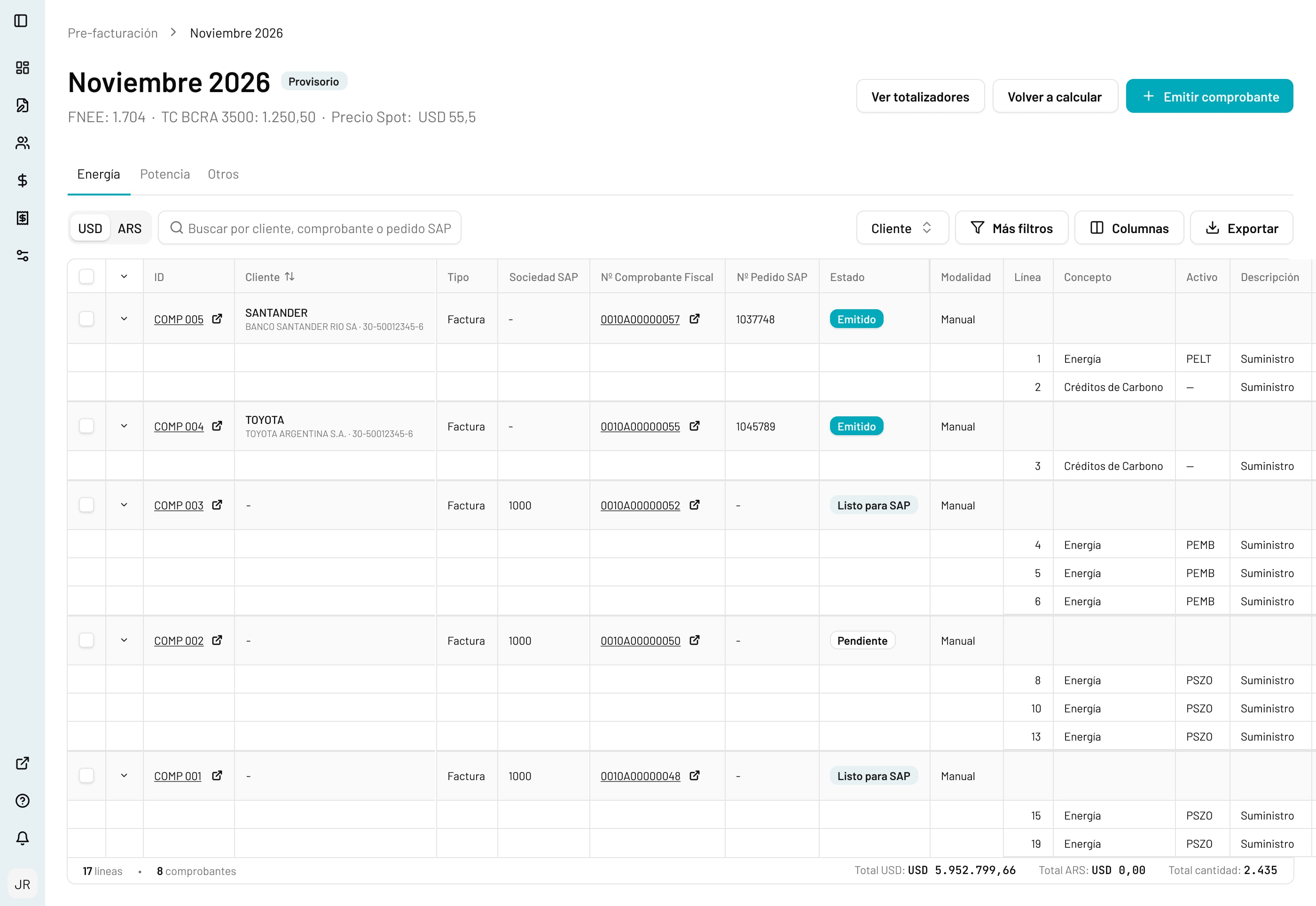
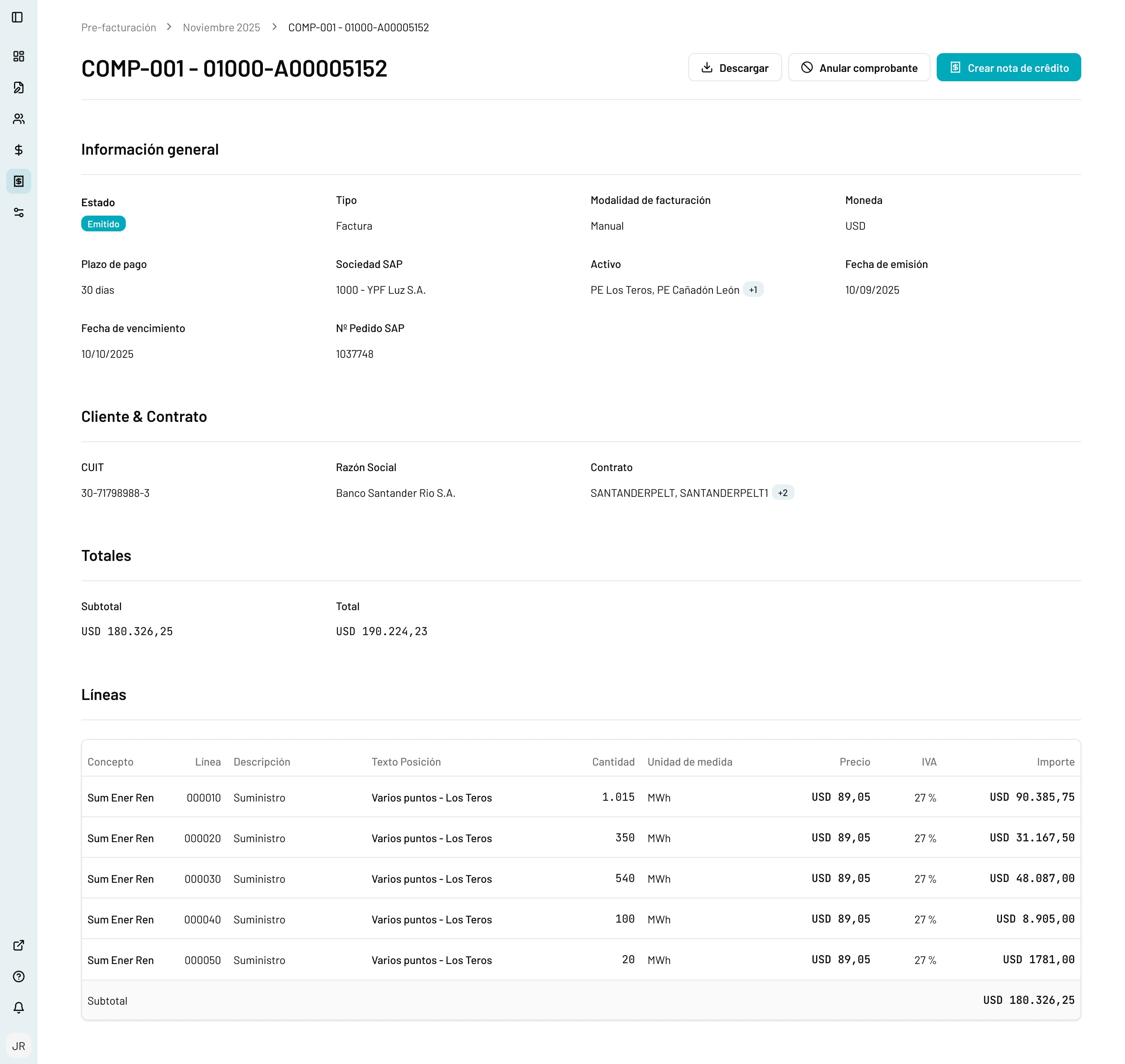
Behind the dashboard, the team manages firm and backup contracts, with Deliver or Pay risk and remaining terms at a glance. Each month, a pre-billing run uses the market inputs (FNEE, exchange rate, spot price) to build invoices and send them to SAP, and every invoice can be downloaded, cancelled or corrected with a credit note.